FREQUENTLY ASKED QUESTIONS
Clariti questions, answered
Clariti explains medical bills, insurance EOBs, lab results and other health paperwork in plain language. Here is what it does and doesn’t do, what’s free, how Clariti Plus works, and what happens to your documents.
What Clariti is
- What is Clariti?
- Clariti is an app that explains health paperwork in plain language. You give it one document — a medical bill, an insurance EOB, a lab result, a scan report, a discharge summary or a medication list — and it tells you what the document says, flags anything worth checking, and suggests questions to ask your doctor, pharmacist, insurer or billing office. It is made by Zapx Labs.
- What kinds of documents can Clariti explain?
- Medical bills and itemized statements, insurance explanations of benefits (EOBs), lab and blood test results, radiology reports (X-ray, CT, MRI, ultrasound), discharge summaries, medication lists, pathology reports, referral letters, visit notes and prior authorization letters. It works on paperwork, not on symptoms: it won’t answer questions about a rash or a pain without a document.
- Does Clariti give medical, legal or financial advice?
- No. Clariti explains what a document says in everyday words. It does not diagnose, prescribe, decide insurance coverage, give legal advice or tell you whether you owe money or should pay a bill. For decisions, it points you to the right person to ask — your clinician, pharmacist, insurer or the provider’s billing office.
- What does Clariti do if a document mentions something urgent?
- If a document or your question contains urgent or emergency language, Clariti tells you to seek urgent or emergency care rather than wait on an explanation. It is not a way to get medical help quickly; if you feel unwell, contact a clinician or emergency services.
- Is Clariti a medical billing advocate?
- No. Clariti doesn’t negotiate with providers or insurers or make calls for you. It helps you understand a bill or EOB, spot the lines worth questioning and prepare what to ask, so you can handle the conversation yourself or with an advocate.
- How is Clariti different from asking a general AI chatbot?
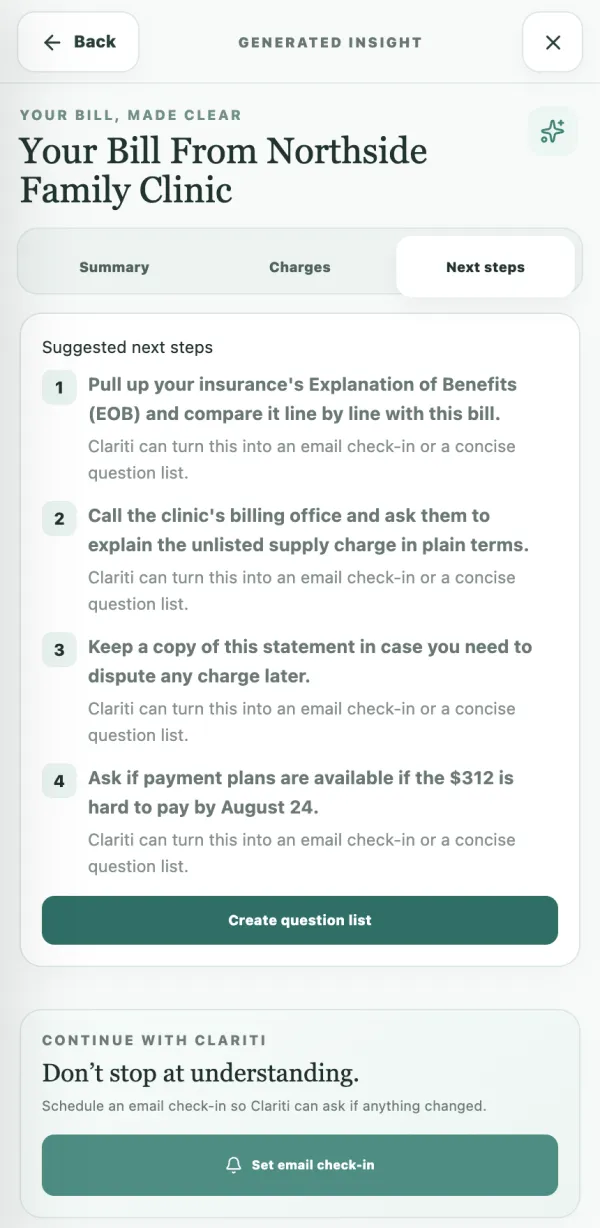
- Clariti is built for one health document at a time. It explains only what is in the document you give it, ties each point back to the line it came from, flags charges or results worth checking, and ends with questions and next steps. Your documents and analyses stay together in one place, and you can compare documents over time or set an email check-in. It is also deliberately limited: it won’t diagnose or tell you what to do.
- Does Clariti work with paperwork from outside the US?
- Clariti reads the text of whatever document you give it, so it can explain a lab report or discharge letter from the UK as well as a US bill or EOB. Insurance and billing documents are mostly a US thing, so most of the billing guides on this site describe US rules; the lab result guides show both US and UK units.
Using Clariti
- How do I give Clariti a document?
- Attach a file, take a photo of the paper with your phone, or paste the text. Then ask your question in your own words — for example “What am I paying for, and is anything unusual?” — and send it. The answer usually arrives in under a minute.
- What file types can I upload?
- PDF files, photos and images (including PNG, JPG, WEBP and iPhone HEIC photos) and plain text files, up to 4 MB each. If a document is long or hard to photograph, you can paste the text instead.
- What if Clariti can’t read my photo?
- It will tell you rather than guess. Try a clearer photo in good light with the whole page flat in the frame, upload a text-based PDF, or paste the text of the document.
- Can I ask follow-up questions about a document?
- Yes. After the explanation, ask anything else about the same document in the chat — for example what to say to the billing office about one charge — and Clariti answers from that document.
- Can I compare two documents, like two lab results?
- Yes. Clariti can compare documents over time and show what changed — two lab results, two bills or a bill and its EOB, or two scan reports.
- What is an email check-in?
- When you set one, Clariti emails you on the date you choose to ask whether anything has changed — a corrected bill, a decision on an appeal, a new result — so the follow-up doesn’t get forgotten.
- What is an explainer video?
- Clariti can turn an analysis it has already written into a short plain-language walkthrough video, which some people find easier than reading. It is made from the explanation, not from your original file.
- Can I see what Clariti does before uploading anything?
- Yes. The example analysis shows a finished explanation of an invented report, exactly as the app displays it, and a 90-second walkthrough video shows a sample bill being explained. The guides and the free EOB decoder also work without signing up. Watch the walkthrough →
- Do I need an account?
- You need an account to have a document explained, so your documents and analyses can be saved and kept private to you. The guides, the example analysis and the free EOB decoder don’t need an account.
Price, plans and cancelling
- Is Clariti free?
- Clariti starts with a 7-day free trial of Clariti Plus on the web: you add a payment method to begin, and you pay nothing if you cancel before the trial ends. After that it is a paid subscription. The guides, the example analysis and the EOB decoder stay free and need no account.
- What does Clariti Plus include?
- Unlimited document analyses, unlimited explainer videos, comparing documents over time, and email check-ins.
- How much does Clariti Plus cost?
- Clariti Plus is available monthly or yearly, and the yearly plan is the better value. The price is shown in your own currency at checkout — on the web, in the App Store or in Google Play — because it differs between countries and stores.
- Is there a free trial of Clariti Plus?
- On the web, Clariti Plus starts with a 7-day free trial when you add a card at checkout; you are charged when the trial ends unless you cancel first. In the iPhone and Android apps, the store shows any offer before you confirm.
- How do I cancel Clariti Plus?
- Use “Manage subscription” on the Billing page in Clariti. If you subscribed in the iPhone app, cancel in your Apple Account settings; in the Android app, in Google Play subscriptions. Plus is auto-renewing, so cancel at least 24 hours before the period ends to stop the next charge.
Privacy and your data
- Are my documents used to train AI?
- No. Your documents and the analyses built from them are not used to train AI models — not by Zapx Labs, and not by the AI providers Clariti uses, whose terms prohibit it.
- Who can see my documents?
- Your documents are stored in your Clariti account. To write an explanation, the text of the document is sent to Anthropic’s AI model, directly or through the Vercel AI Gateway. Before your first analysis Clariti shows exactly where documents go, and nothing is sent until you agree. The privacy policy lists every provider and what each one receives. Read the privacy policy →
- Does Clariti sell my data or show me ads based on it?
- No. Your documents and analyses are not sold, not shared with advertisers and not used to build a profile of you.
- Can I delete my documents or my account?
- Yes. Individual documents and their analyses can be deleted from History, Export all data in Settings gives you a copy, and Delete account in Settings removes everything at once, with no waiting period. You can also withdraw consent to AI analysis in Settings without deleting anything. How to delete your account →
Where Clariti works
- Is Clariti available on iPhone and Android?
- Yes. Clariti is on the App Store for iPhone and on Google Play for Android, and it also works in any web browser at useclariti.app. Your account and documents are the same everywhere you sign in.
- Can Clariti explain radiology report wording phrase by phrase?
- Clariti explains a whole radiology report in plain language with questions for your doctor. For a dictionary of individual phrases radiologists use, such as “unremarkable” or “clinical correlation recommended”, Zapx Labs’ sister product Radily has a free phrase guide. Radily’s report phrase guide →
Common paperwork questions
- What is the difference between an EOB and a medical bill?
- An explanation of benefits (EOB) comes from your insurer and shows how a claim was processed — what was billed, what the plan allowed and paid, and what is left for you. It is not a bill. The bill comes from the provider and should match the EOB’s patient responsibility. EOB vs medical bill, explained →
- What is a CPT code on my bill?
- A five-character code for what a provider did — an office visit, a test or a procedure. Each line of an itemized bill usually has one. The guides explain the most common codes one by one. What a CPT code is →
- How do I check a medical bill for errors?
- Ask for the itemized bill, compare every line with your EOB, and look for duplicates, services you didn’t get, wrong quantities and insurance payments that weren’t applied. Then call the billing office with the specific lines you’re questioning. Step-by-step bill check →
- What is prior authorization?
- Approval from your health plan that may be required before you get a service or fill a prescription, so the plan will cover it. Your doctor’s office usually requests it; a denial is a coverage decision you can usually appeal. Prior authorization, explained →